AI Interoprability
Amazon Quick is an AI assistant for work. Launched in 2025 summer, it positions as a unified workspace integrated with popular enterprise applications like Slack, Jira, and M365, so knowledge workers can get answers and take action without app hopping and losing context.
As the designer overseeing the core conversational experience, I redefined the foundational framework and patterns earlier 2026 to achieve what I call an intention-first experience.
Just like everyone else in the industry, I am constantly relearning and figuring out what constitutes good user experience in AI-native products. Below is my attempt and deduced rule of thumb that substantiates my design decisions.
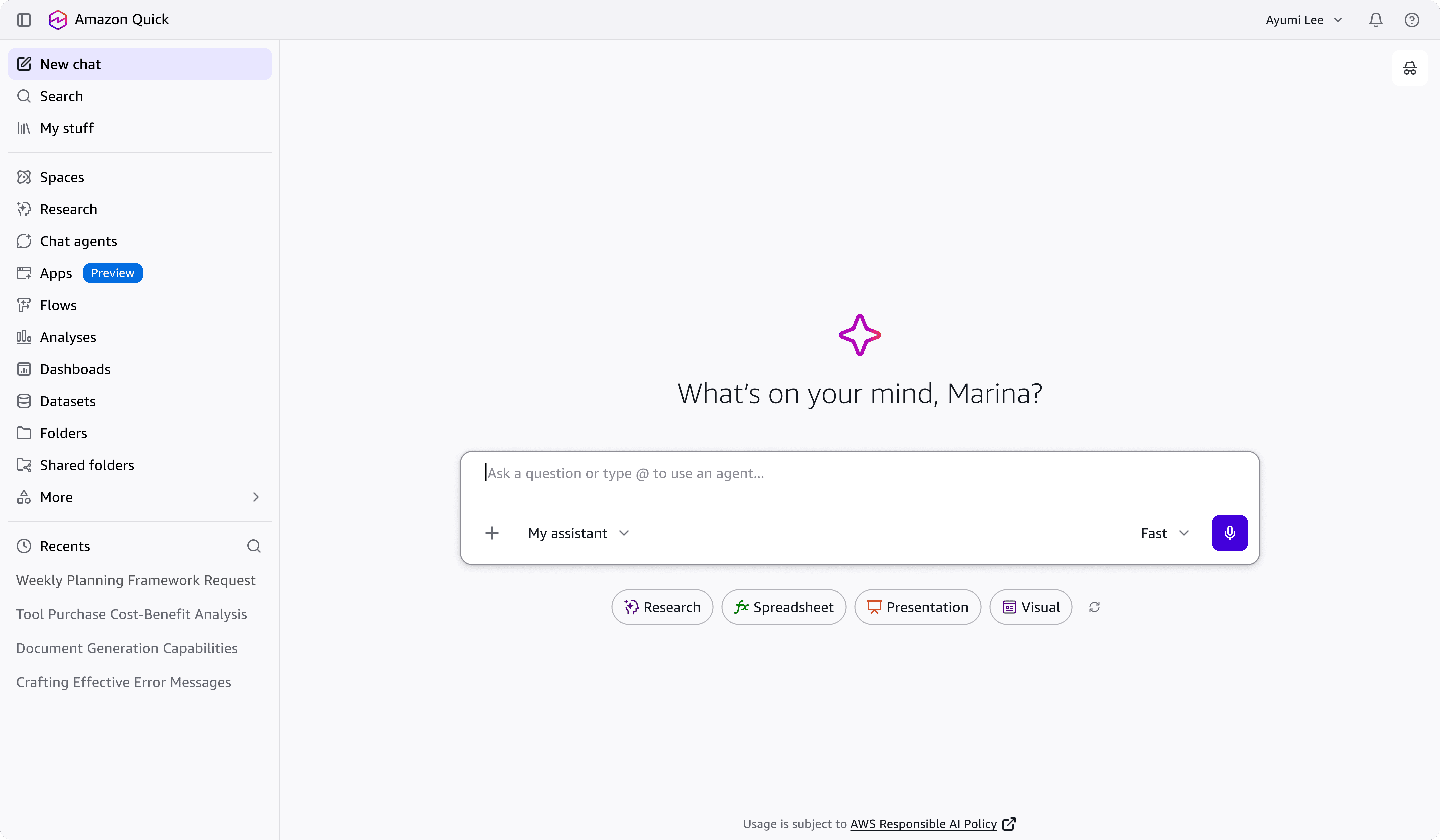
When I first joined, I witnessed first hand how AI was compartemtalized as a feature and that only adds to adoption friction.
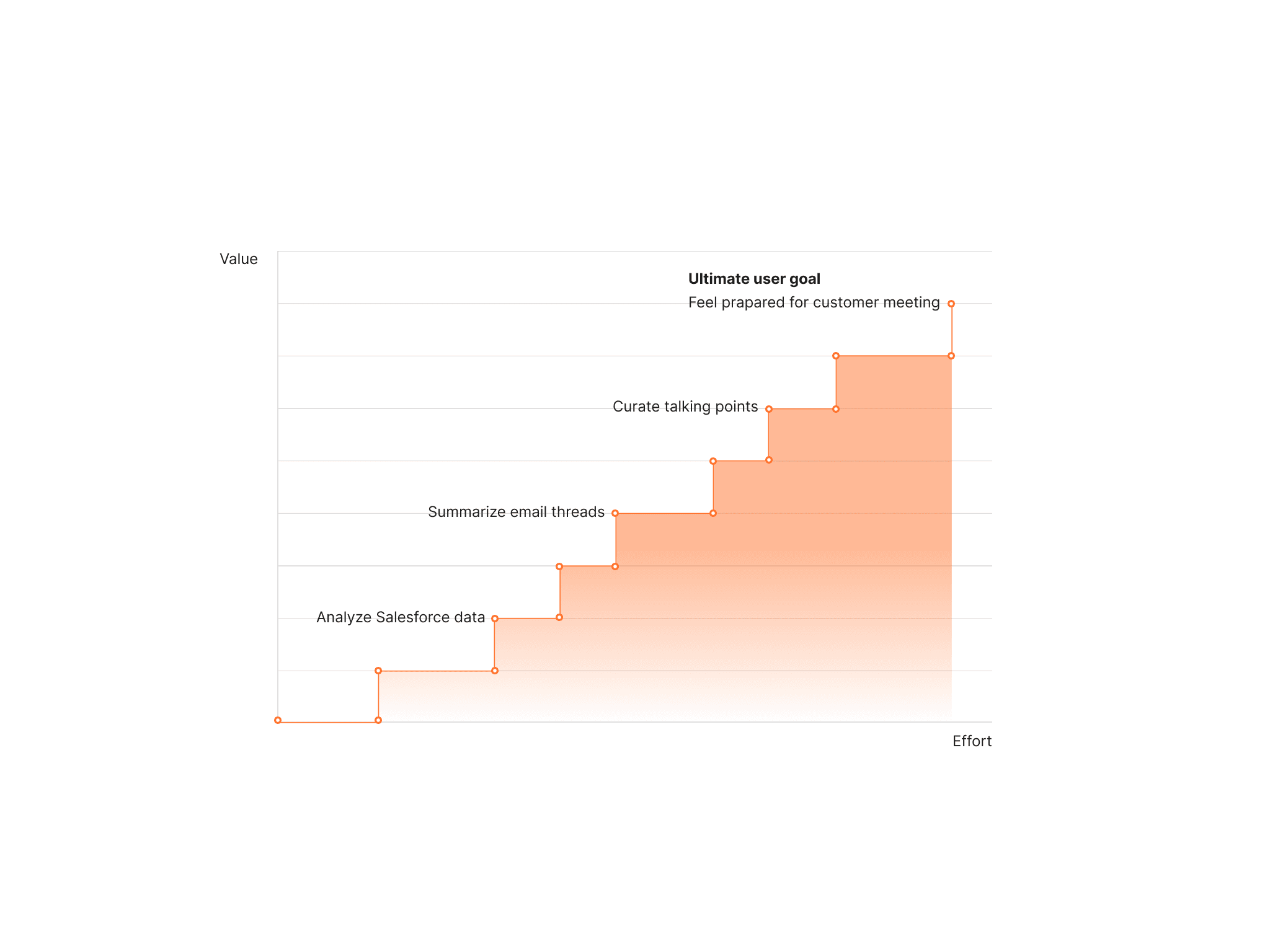
In conventional softwares, users achieve their goals by a series of actions chained together through conditional business logic, and we call them user journey. Each journey has pretty much a definitive entry point, a couple of linear flows, and a consistent outcome.
This framework did not scale well for a multi-workflow platform like Amazon Quick. A user trying to prepare for a customer meeting might need to pull context from Salesforce, summarize a recent email thread, and draft talking points, but the product treats those as three separate goals, nested in three discrete user journeys.
With over 500,000 enterprise users, agent hours sit below 1,000 per month. Chat panel open rates are at 3% and average session depth is 6 turns of conversation before users drop off.
There is a wayfinding opportunity for AI to act as the orchestrating layer between user intent and product capabilities.
To be clear, linear user journeys don't have to die (every day, I found out something is dead as proclaimed on LinkedIn). There are expert users who have internalized the products so deeply that their workflows are essentially muscle memory.
The opportunity I identified works for the remaining 80% of knowledge workers who do not have that fluency yet across every surface of an agentic product this broad. An AI system that is intention first, fluid in nature, and shows up at the right time through quiet and careful orchestration.
The goal is to get them into flow state without being interrupted by unnecessary page navigations, relearning a tool, or spending mental energy deciding which feature to reach for next.
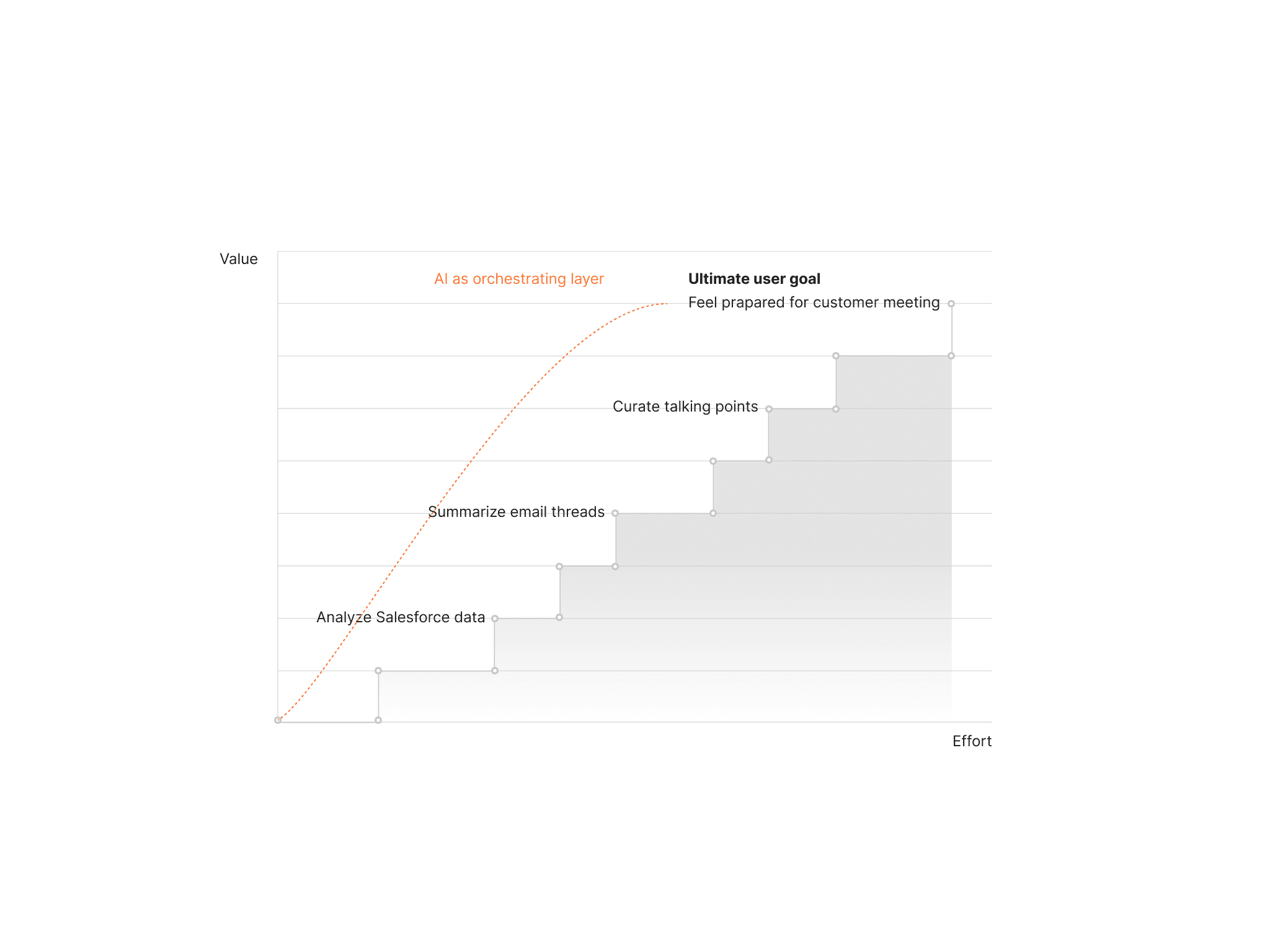
Mapping human-AI interaction across a non-deterministic, open-ended journey
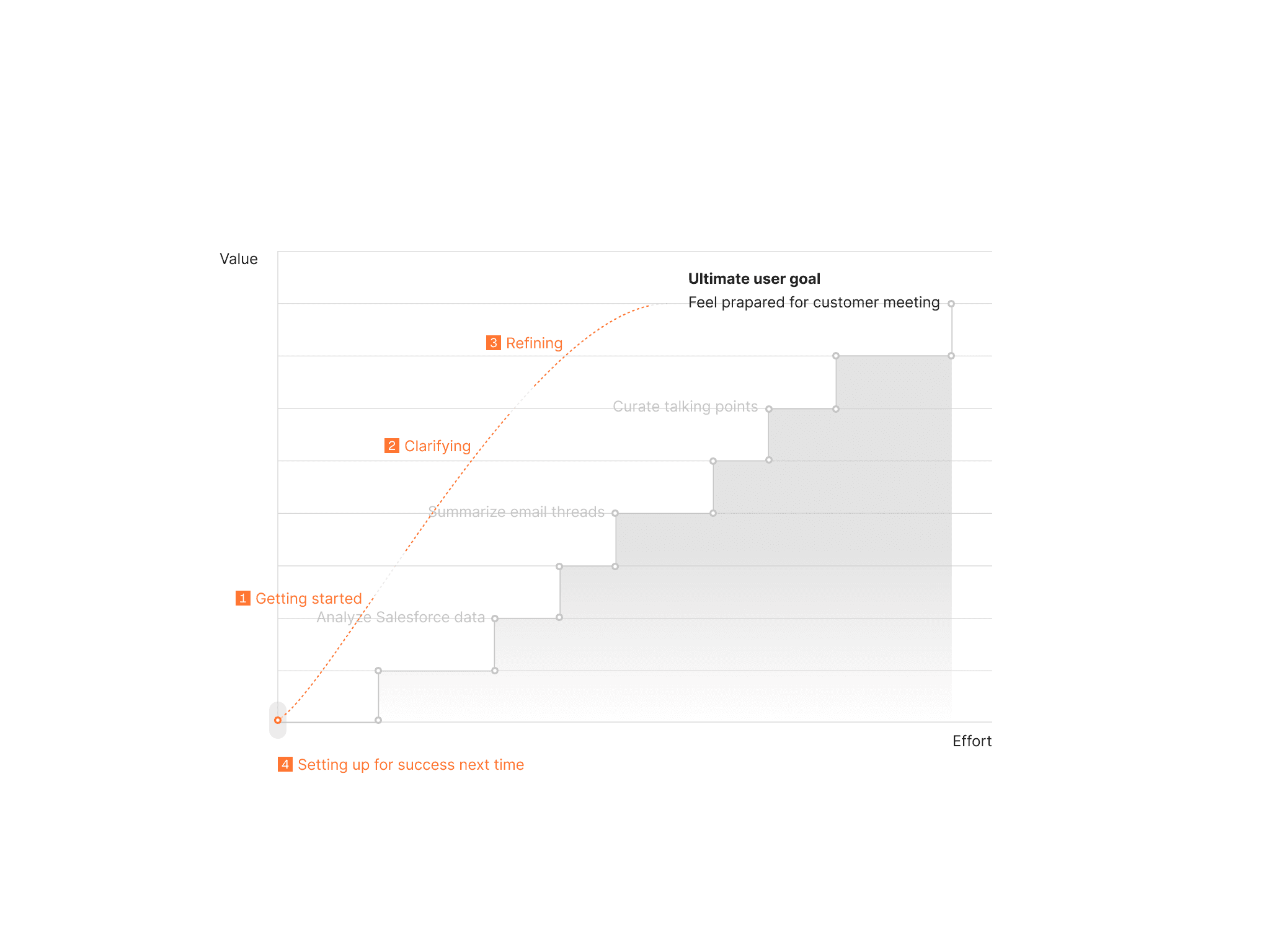
Getting started
Capability surfacing and chat configs
I reduced prominence towards feature broadcasting, consolidated chat configs, and only exposed capabilities in context without burying them behind unfamiliar terminology.
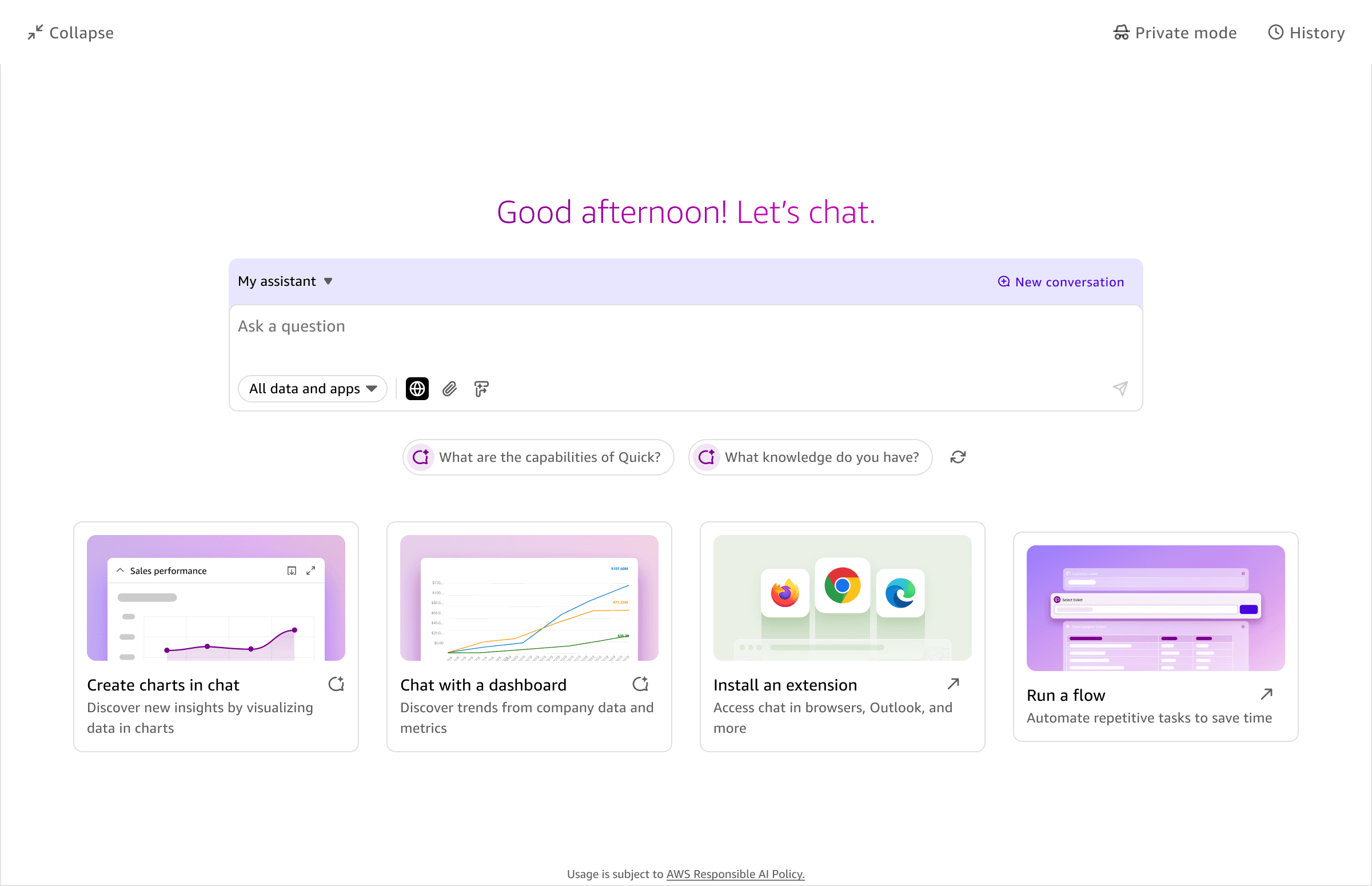
Before
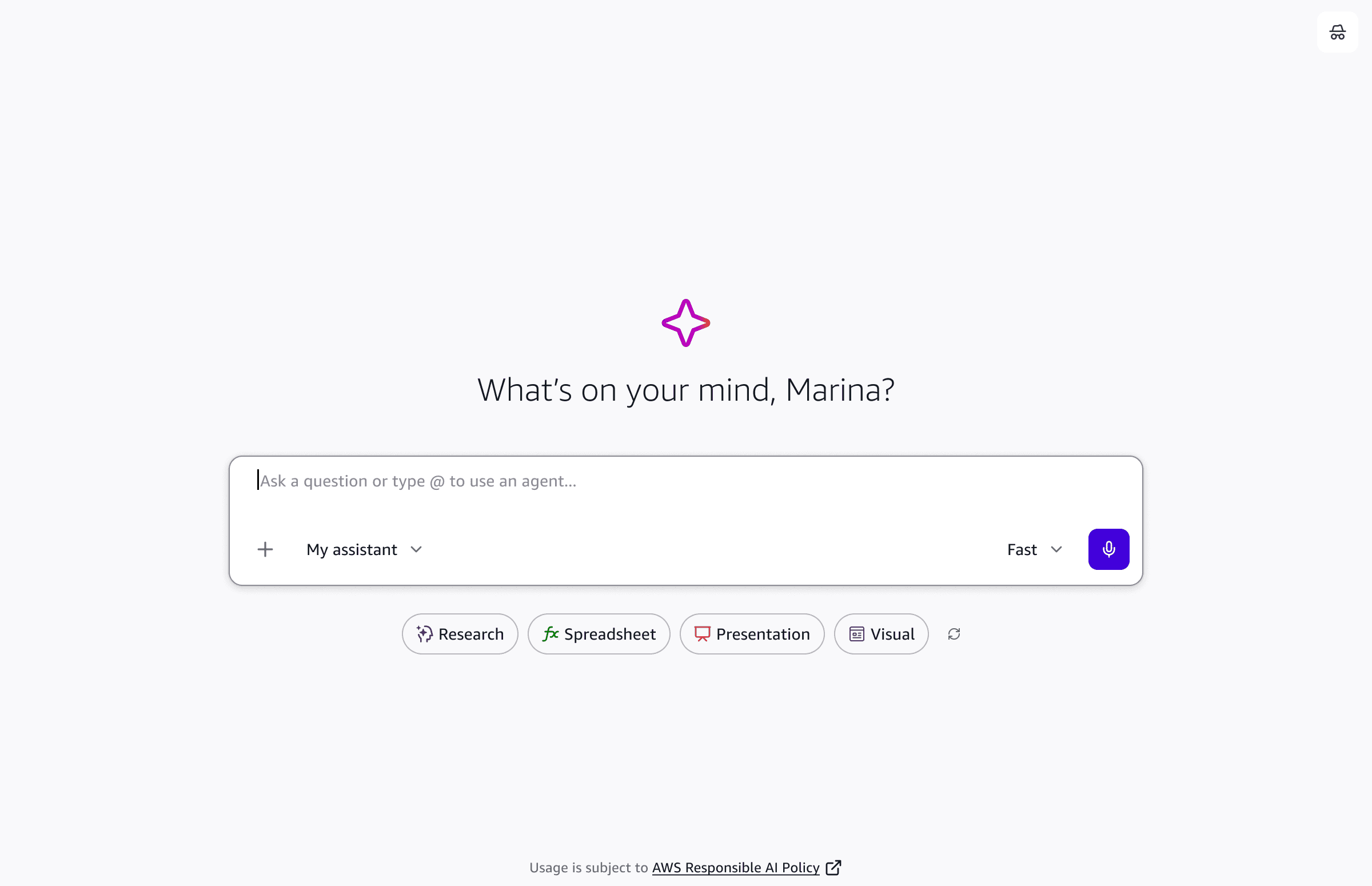
After
Contextual awareness
The conversational experience needed to meet users where they already were. Inside a project space, chat is embedded directly in the interface with knowledge of that space already loaded. Opened next to a dashboard, it takes the content in focus as its starting context. The goal was to make the conversation feel like a natural extension of the work.
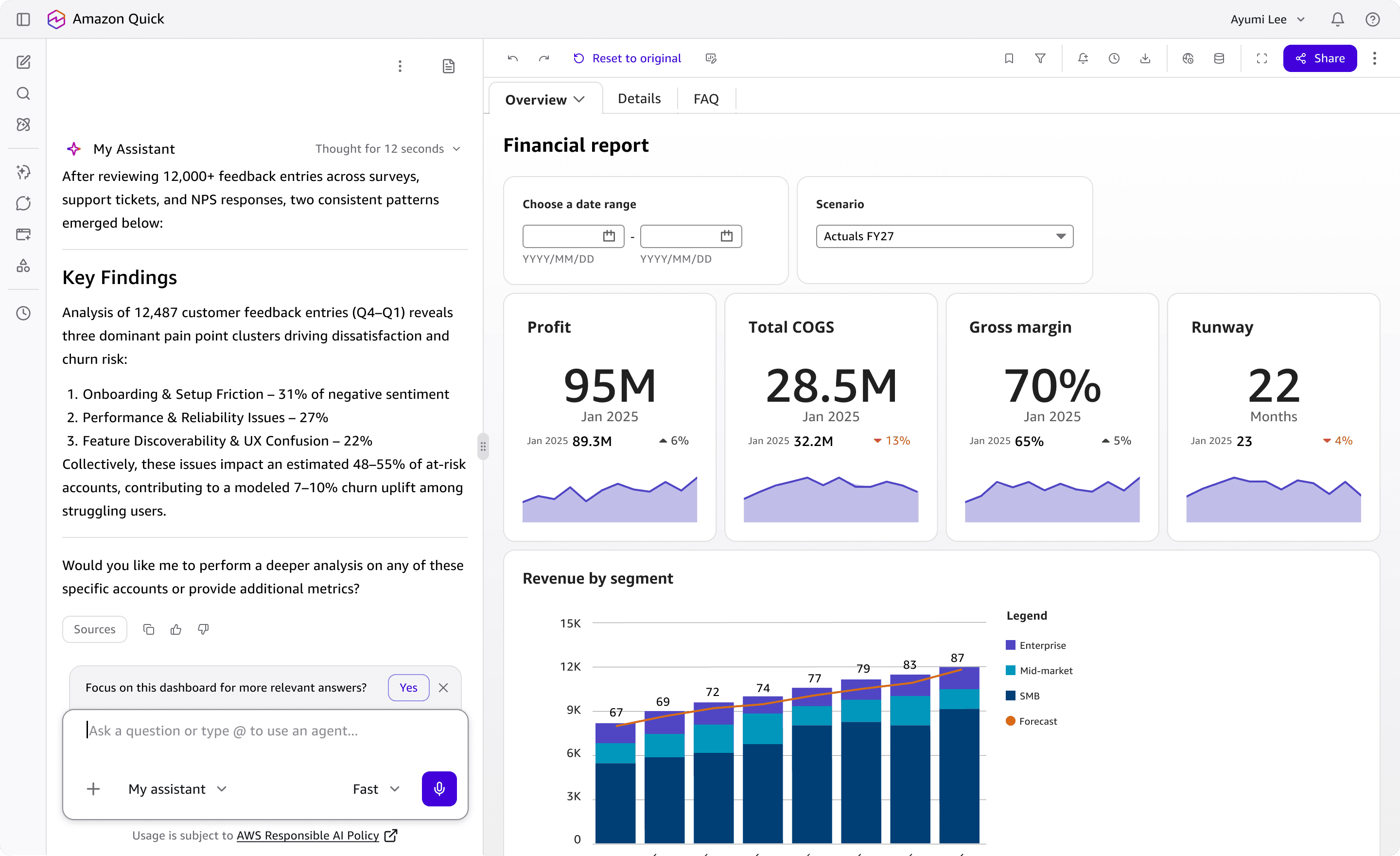
Supplementing analysis for dashboard
Note: Where chat surfaces across the platform is an architectural challenge that deserves its own article. I'm happy to share more in a conversation.
Clarifying
Intent scaffolding
For complex tasks with many conditions, the system needs enough context from the user before acting. Rather than proceeding on an incomplete brief and returning a poor result, I introduced intent scaffolding at the moments where more information would meaningfully change the outcome.
This pattern needs to be triggered carefully. Ask too often and for simple tasks, and the system feels incapable of making its own decisions. Never ask, and users wait for 3 minutes for a result that went in the completely wrong direction. Getting this right comes down to three things: how much context the system already has, how complex the task is, and how long it would take to generate a result. I worked closely with our science partner to define the confidence threshold.
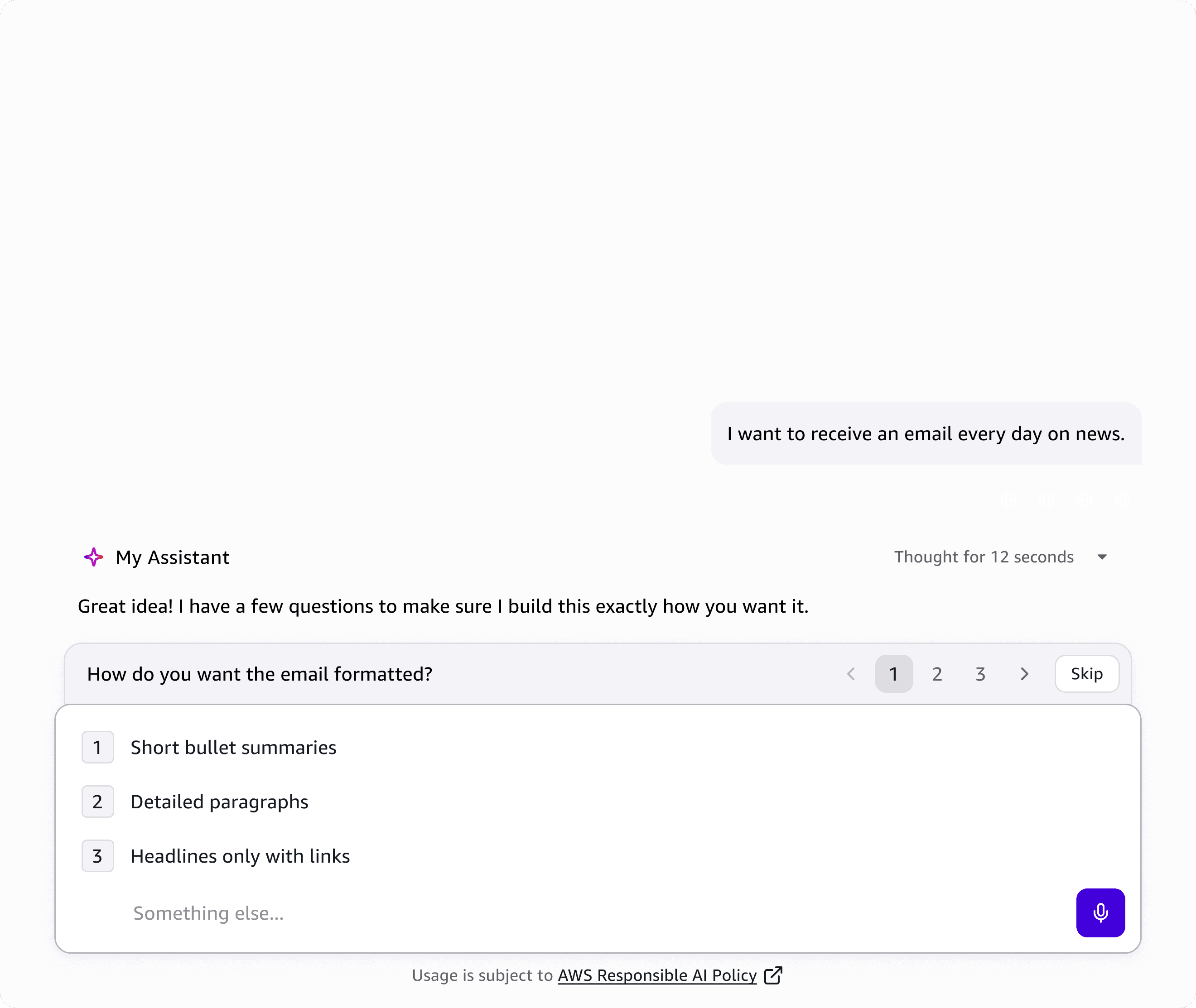
Adaptive input design based on clarification needs
Making agent permission legible
When the AI acts on a user's behalf across third party platforms, it needs explicit permission before doing so. But the approval prompts users were seeing displayed raw system code. Something like graph.user.mailFolder.childFolder.message.move is not immediately readable.
Working with our science partner, we leveraged our own model and mapped system action into plain language that describes what the AI is about to do in terms anyone can understand. That string becomes "move this email to a subfolder."
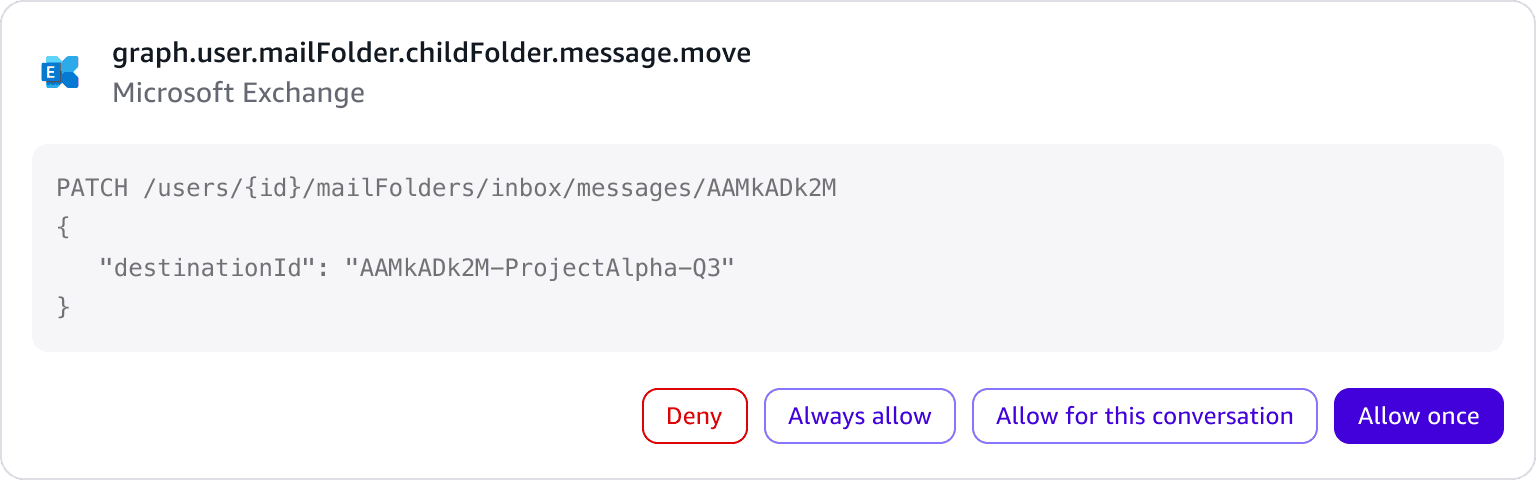
Before

After
Refining
Low-effort followup questions
I introduced subtle followup suggestions that sit below the response without demanding attention. They are temporary, disappear as the conversation moves forward, and map to keyboard shortcuts so users can continue the thread without reaching for the mouse.
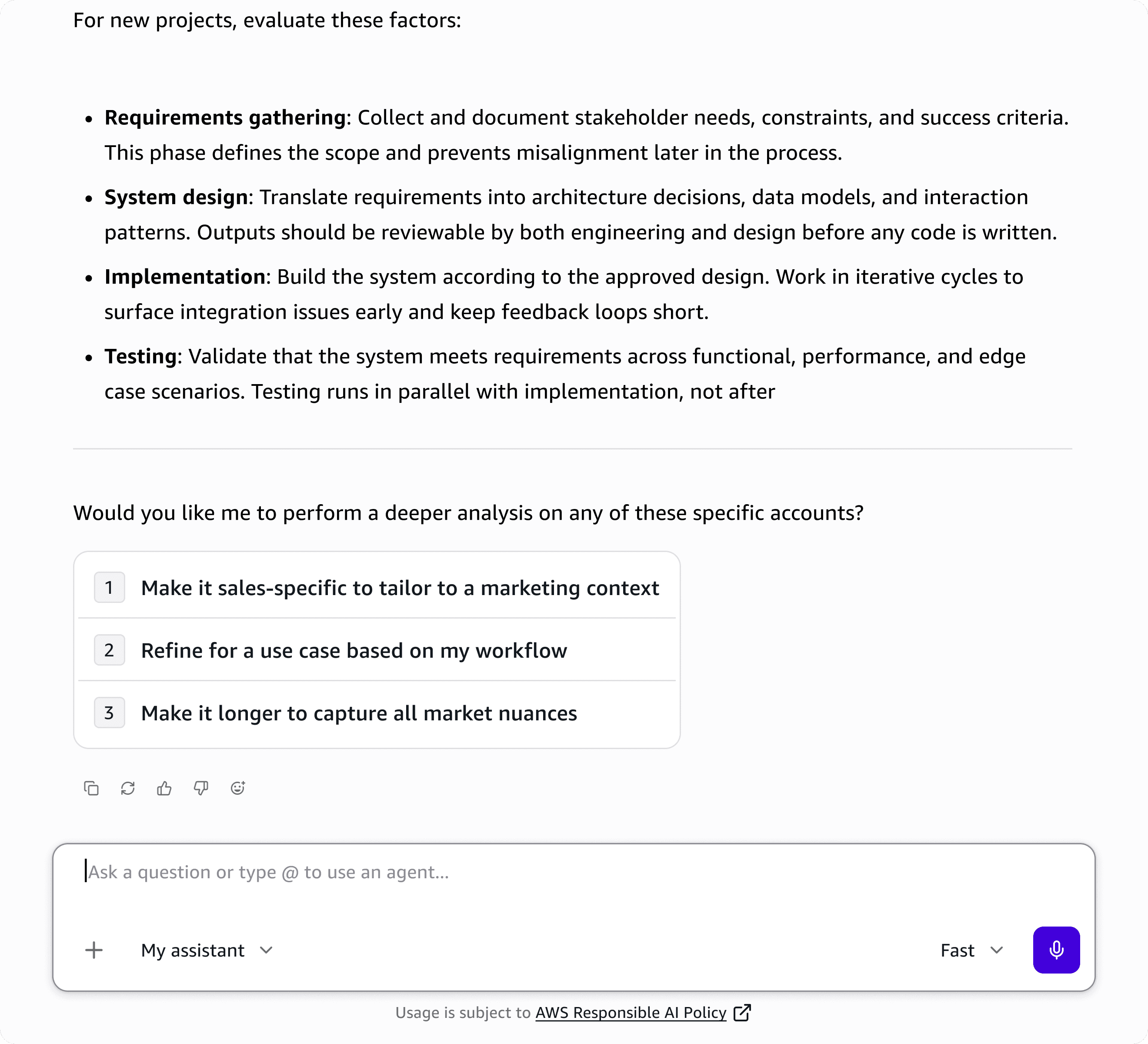
Follow-up prompts
Inline editing
For finer edits, users can select text directly within the artifact panel and make inline changes in context. This was a collaboration with a principal designer on the content editing experience.
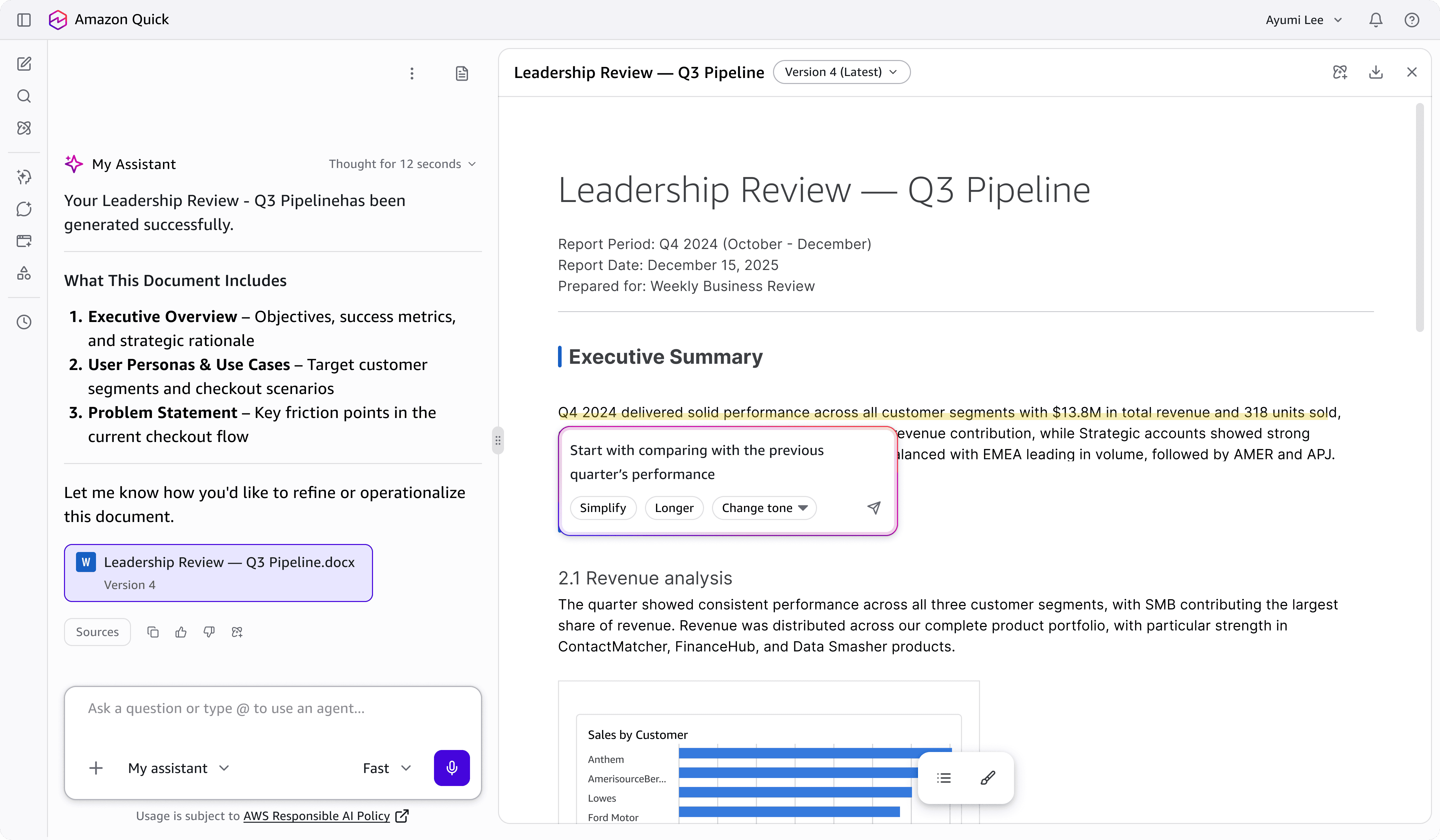
Inline editing capability for more accurate updates
Citations
Citations were already in the product when I joined, but the bubbles were dense and hard to parse and there was no efficient way to move between them. I refined the content inside each bubble and introduced keyboard shortcuts so users can step through citations without breaking their reading flow.
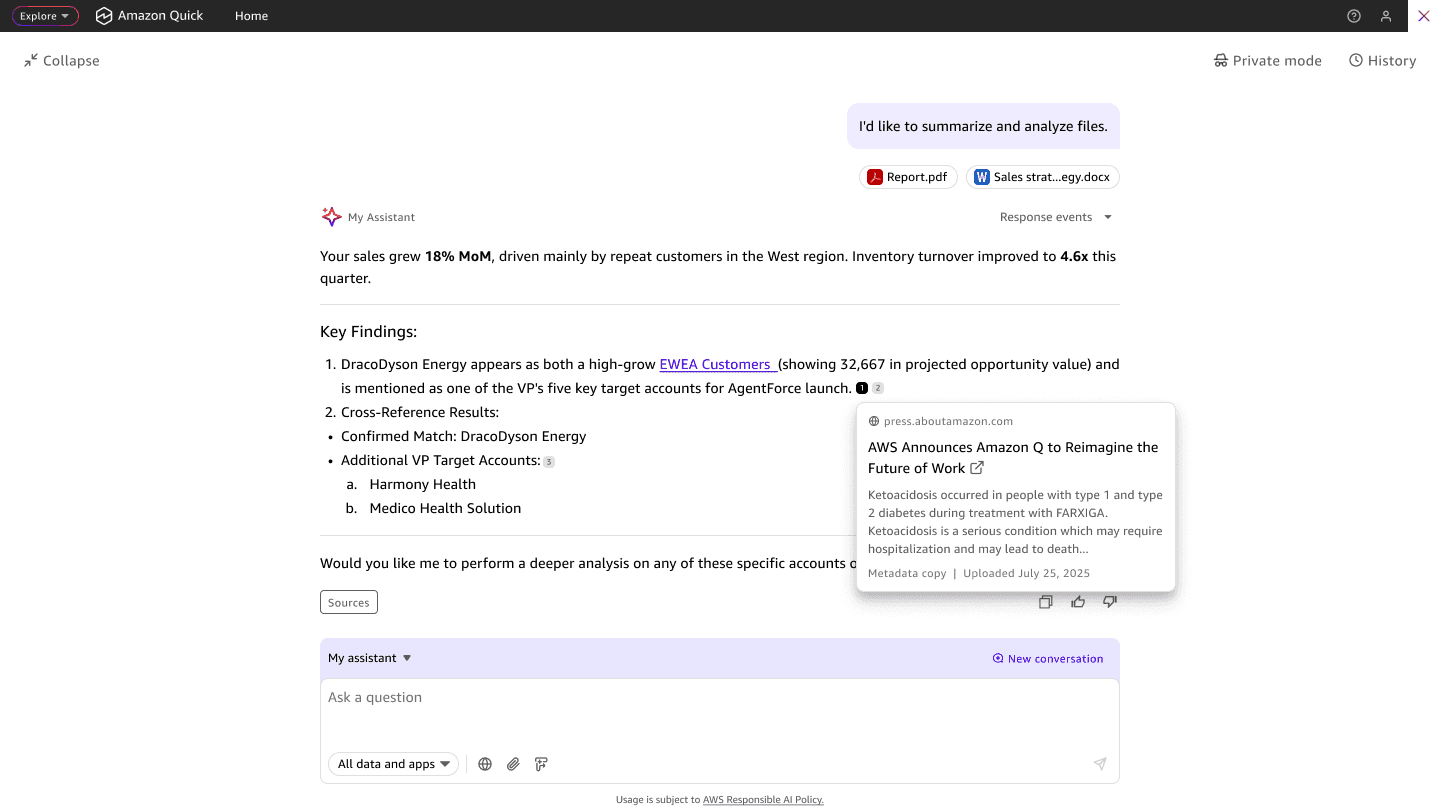
Before
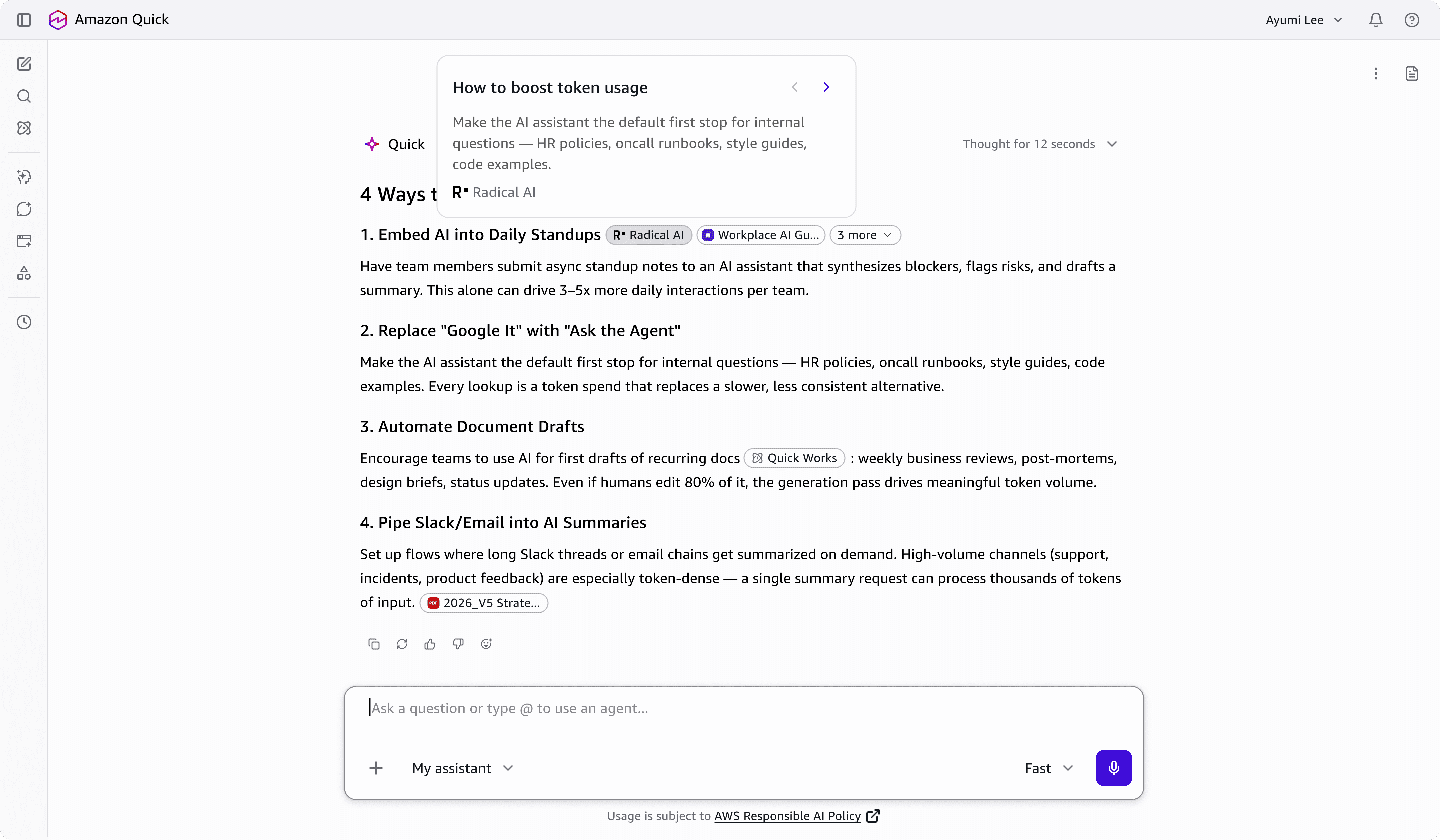
After
Setting up for success next time
Source and artifact management within an active conversation
During the first launch of Amazon Quick, uploaded files were retrieved from the chat inbox with no trace of the artifacts or versions created along the way. In collaboration with another principal designer, we introduced a persistent context panel that sits alongside every active conversation and holds everything generated, uploaded, or referenced in one place.
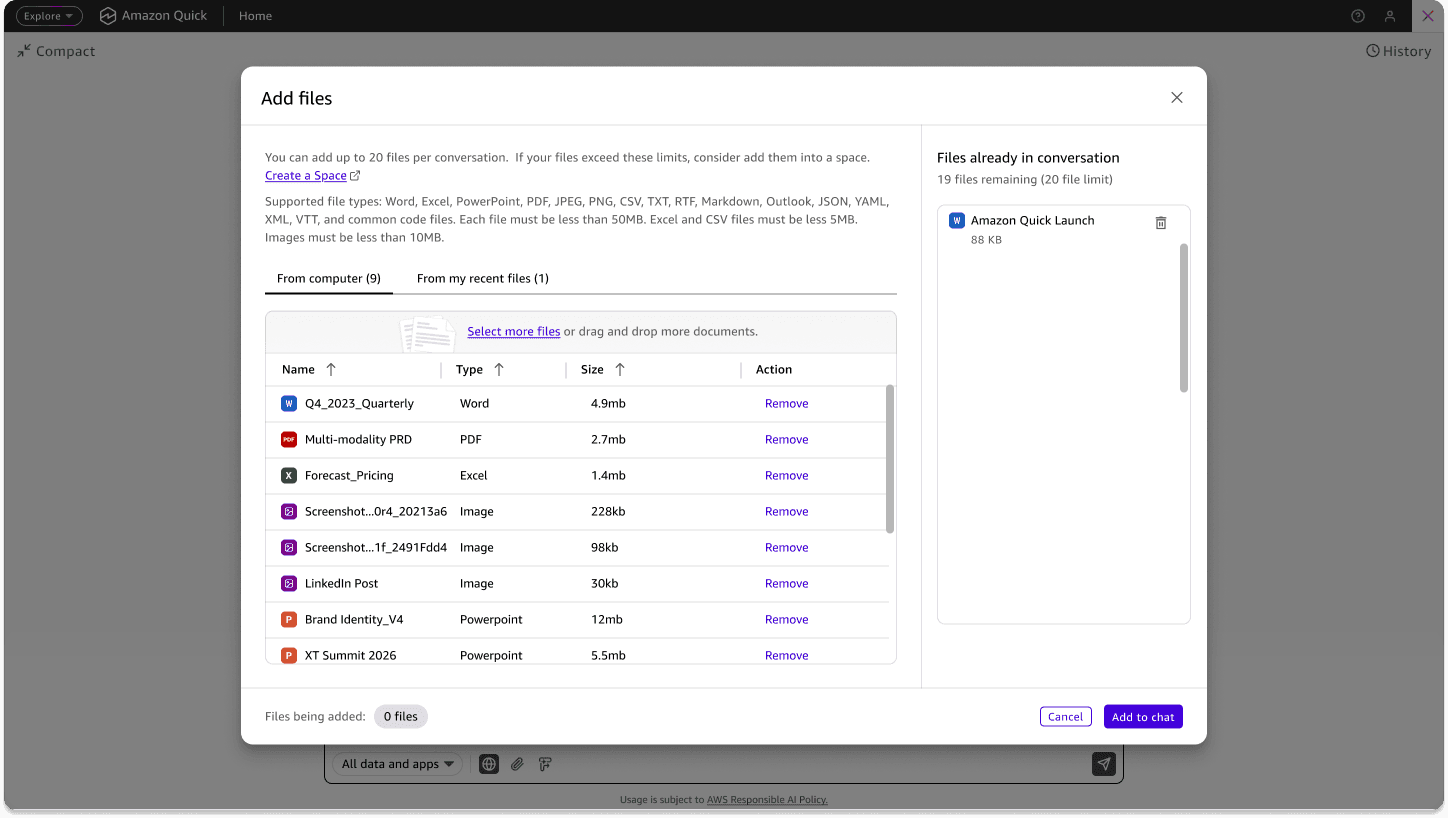
Before
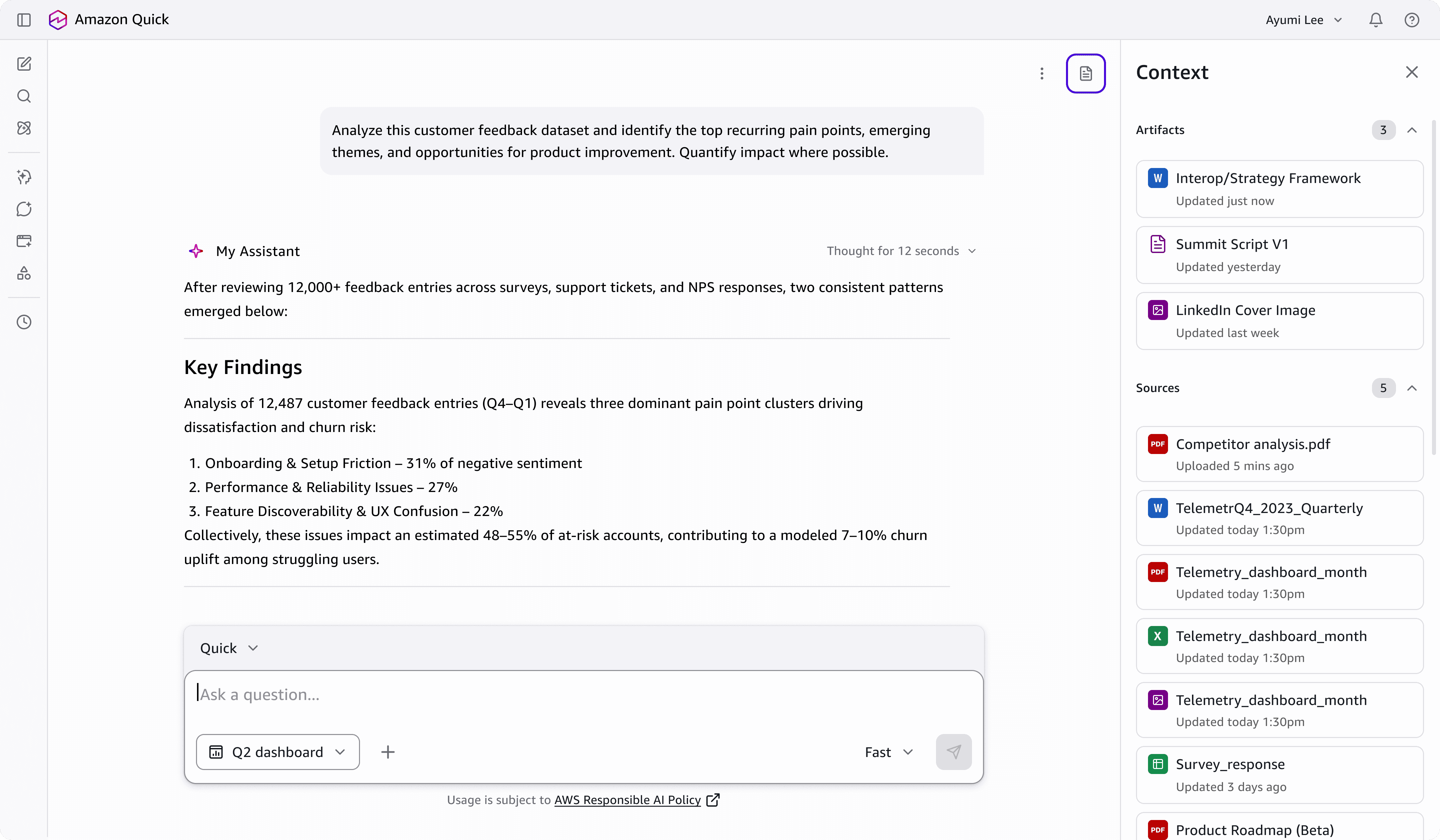
After
I translated the core experience across Browser Extension, Slack, Teams, and M365 Office.
The goal was to meet users where they already were, reducing context switching and app hopping by bringing the same intent-first experience directly into the tools they spend most of their day in.
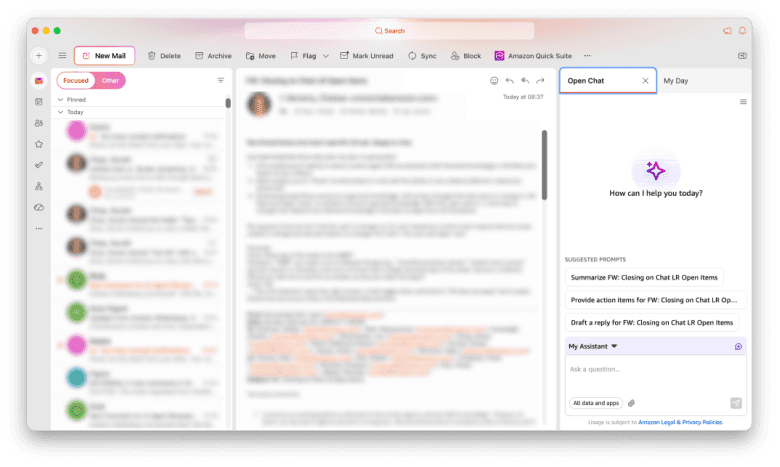
Outlook
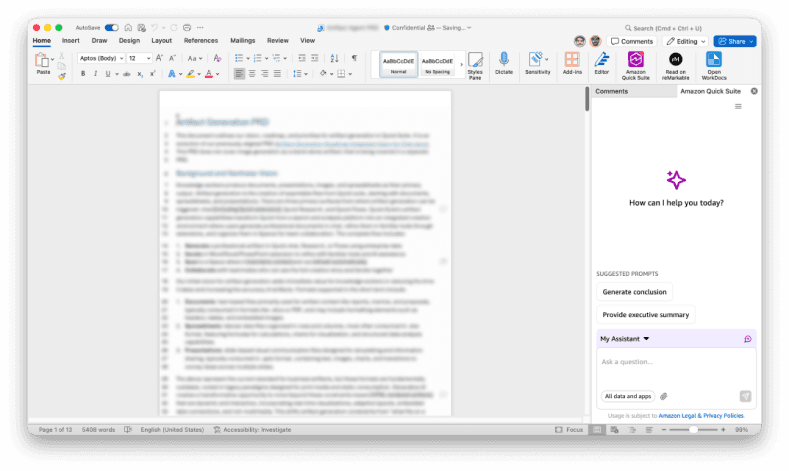
Word
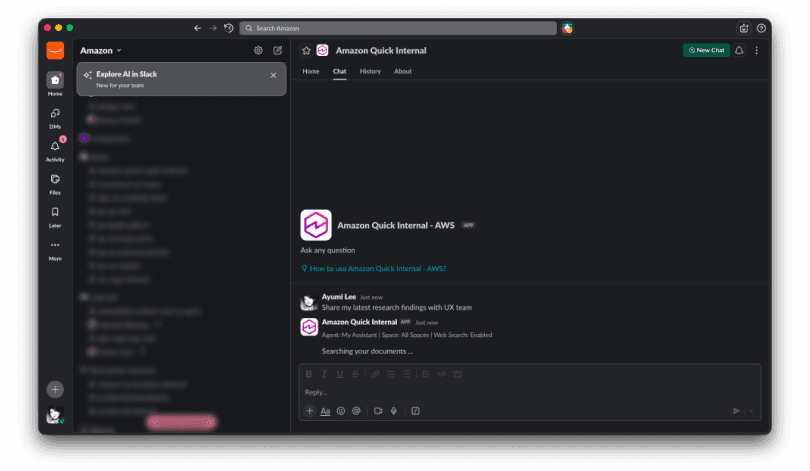
Slack
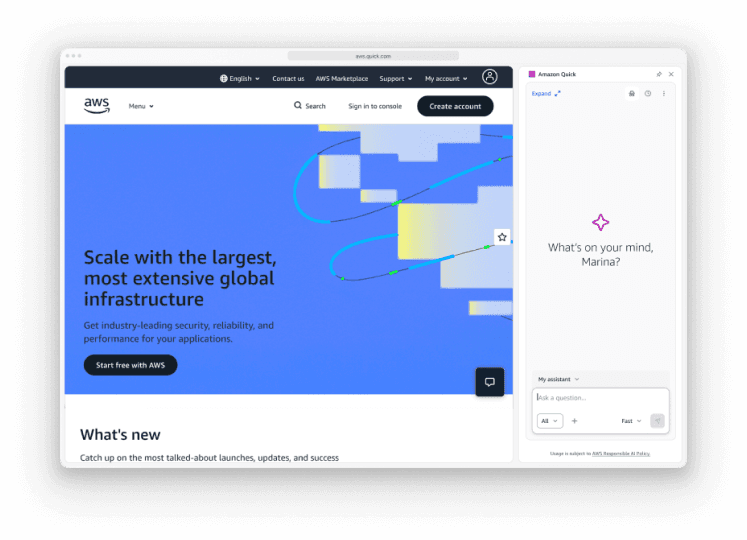
Browser Extension
Impact
Feature engagement increased by 34% measured through funnel analysis, reflecting more users finding and activating capabilities they had not previously reached. Conversational experience sentiment score improved by 28%, tracking closer to what users reported in qualitative research. Chat engagement rose by 41%, with average session depth climbing from 1.2 interactions to 3.8.